Sheet Automator AI — Multi-Workbook Excel & AI Data Processing Engine
Merge complex Excel databases, synthesize copy with local or cloud AI, and generate tailored CSV & XLSX workbooks for design automation, data analytics, reporting, and enterprise workflows.
Solo Pro — $49 lifetime: unlimited profile runs, the multi-output profile engine, simultaneous CSV + formatted XLSX export for automation, analytics, and reporting, plus local LLM support.
Looking for another OS? Download for Windows (.msi) | Download for Windows (.exe) | Download for macOS (.dmg) | Download for Linux (.AppImage / .deb)
Instant activation with seamless offline usage support. Already licensed? Manage License / Portal
Inside Sheet Automator AI
Six real screenshots of the desktop app — multi-workbook Excel ingestion, AI copy synthesis, CSV and XLSX output targets for Photoshop variable image generation, and the built-in diagnostics console.
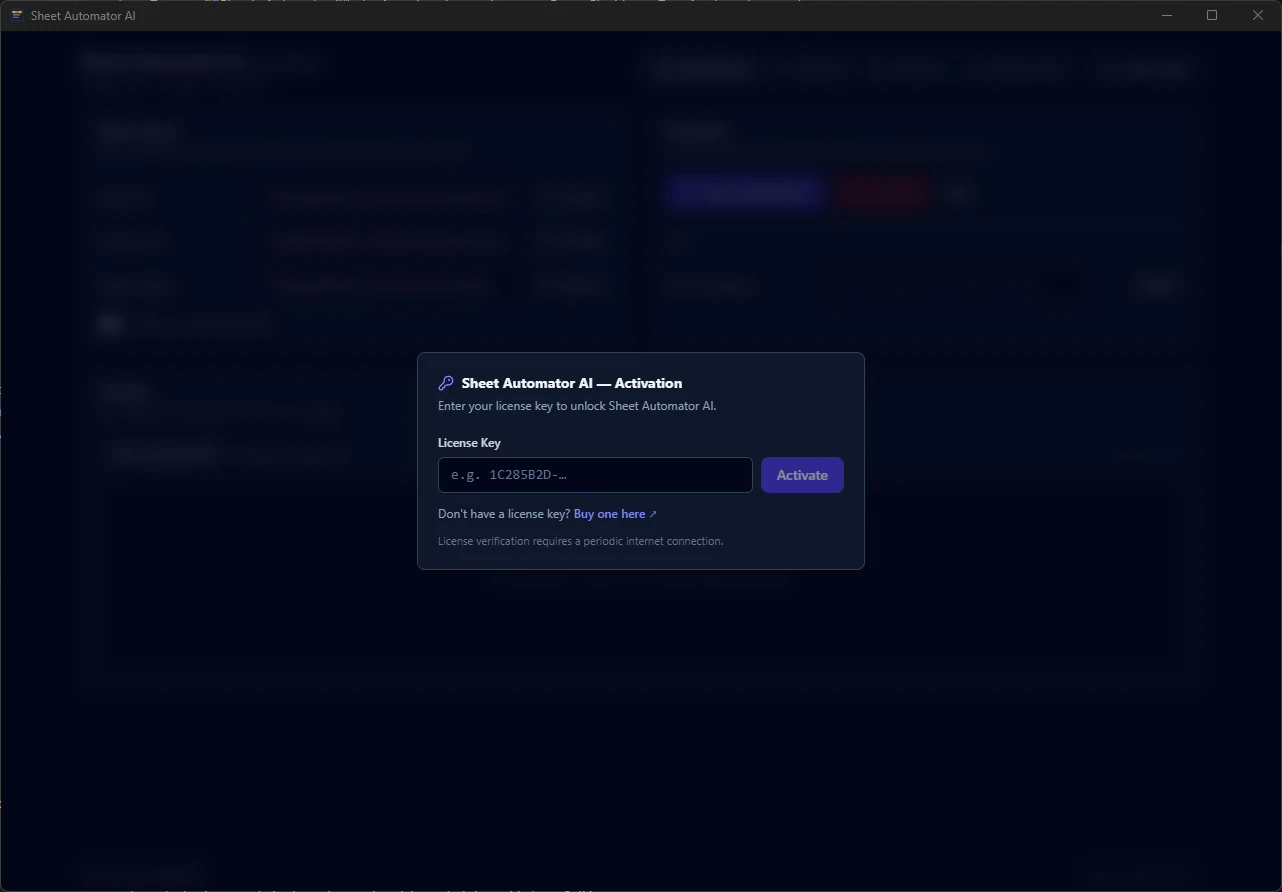
License Activation
Screenshot 1 of 6 · use ← / → to browse
From Raw Workbooks to Production-Ready Data
Every capability in Sheet Automator AI is engineered to collapse hours of manual Excel work into a single click — multi-workbook merging, AI data synthesis, and tailored CSV & XLSX generation for design automation, analytics, reporting, and enterprise workflows.
Dual & Multi-Workbook Ingestion
Ingest brand profiles, multi-tab product catalogs, and custom Excel databases with automated alias resolution, extra header retention, and category indexing.
Flexible Multi-Output Engine (CSV & XLSX)
Simultaneously export byte-perfect UTF-8 BOM CSV files for script-driven automation and formatted .xlsx workbooks (run_summary.xlsx) for accounting and reporting.
Downstream Automation Compatibility
Integrates seamlessly with Adobe Photoshop batch scripts (Batchify.jsxbin), Adobe ExtendScript pipelines, custom Python data processing scripts, and BI dashboards.
Built-in Local & Cloud AI Synthesis
Integrates with OpenAI, DeepSeek, and local endpoints (Ollama, OmniRoute at http://localhost:20128/v1) with strict token budgeting and prompt context extraction.
Native Rust Performance
Built on Rust and Tauri v2 for instant desktop launch, low memory overhead, and zero Electron bloat.
100% Private & Secure
Offline-capable execution on Windows and Linux. API keys are managed safely without cloud telemetry.
Solo Pro Lifetime Access — $49
One-time purchase. Unlimited profile runs, multi-output CSV/XLSX generation for automation, analytics, and reporting — plus lifetime local updates.
One-time purchase. Lifetime license with instant activation and seamless offline usage support.
- Unlimited Profile Runs & Multi-Workbook Processing
- Built-in Local & Cloud AI Synthesis (OpenAI, DeepSeek, Ollama, OmniRoute)
- Flexible Multi-Output Engine (UTF-8 BOM CSV + Styled Summary XLSX for automation, analytics & accounting)
- Local OS Credential Keyring Security — No Cloud Telemetry
- 2 Active Machine Activations included
- 100% Offline-Capable Execution on Windows & Linux
Secure checkout via Polar. Manage License / Portal
Three Steps to Production-Ready Data
Connect Multi-Workbook Excel Sources
Point Sheet Automator at your brand_list.xlsx (Primary Profile List) and product_list.xlsx (Multi-Sheet Product Catalog), or any custom Excel databases. Alias resolution, extra header retention, and category indexing happen automatically.
Synthesize Copy with Local or Cloud AI (Optional)
Enable the AI engine to synthesize headlines, subheadlines, and accent colors via OpenAI, DeepSeek, or local endpoints (Ollama, OmniRoute at http://localhost:20128/v1). Strict token budgets and deterministic prompts keep costs minimal.
Generate CSV & XLSX for Any Pipeline
Export today_promos.csv (UTF-8 BOM, CRLF) plus styled run_summary.xlsx in one run — ready for Photoshop (Batchify.jsxbin), Python scripts, BI dashboards, accounting, and multi-profile reporting pipelines.
Technical Specs & Setup Guide
Primary Profile List — brand_list.xlsx
Primary Profile Lists such as brand_list.xlsx with worksheet Profiles, one row per entity: store_id, catalog_sheet (aliased menu_sheet), display_name, address, phone, hours, website, social, logo_path, and optional output_name. Headers resolve through automated alias tables (e.g. nazwa → display_name, tel → phone), preserving raw extra columns for custom mapping — never lost.
Multi-Sheet Data Workbooks — product_list.xlsx
Data workbooks such as product_list.xlsx with one worksheet per entity, matched by the entity's catalog_sheet key: item_name, category, price, image_path, and promo flags. Per-sheet category normalization, price parsing, and thresholding drive category-aware selection with graceful fallbacks.
today_promos.csv (UTF-8 BOM, CRLF) → Batchify.jsxbin / ExtendScript / Custom CSV Data Pipelines
run_summary.xlsx — styled multi-tab summary workbook for reporting, accounting, and audits
Installation Guide & Security Notice
Step-by-step instructions for setting up Sheet Automator AI on your operating system.
Unsigned Binary Notice
As an independent software studio, FatahTech distributes binaries directly to keep operations lean and software affordable. Windows SmartScreen and macOS Gatekeeper may display a standard prompt on initial launch because we do not currently license commercial vendor certificates. Our software is clean, privacy-focused, and free of background trackers. You can verify binary integrity using the SHA-256 hashes listed below.
Windows (.msi / .exe)
Grab the .msi installer (recommended) or the standard .exe setup from the download buttons above.
- 1Download your preferred installer format (
.msirecommended for standard installations). - 2If Windows SmartScreen pops up with "Windows protected your PC", click "More info" and then click "Run anyway".
- 3Follow the installation wizard prompts to complete the setup.